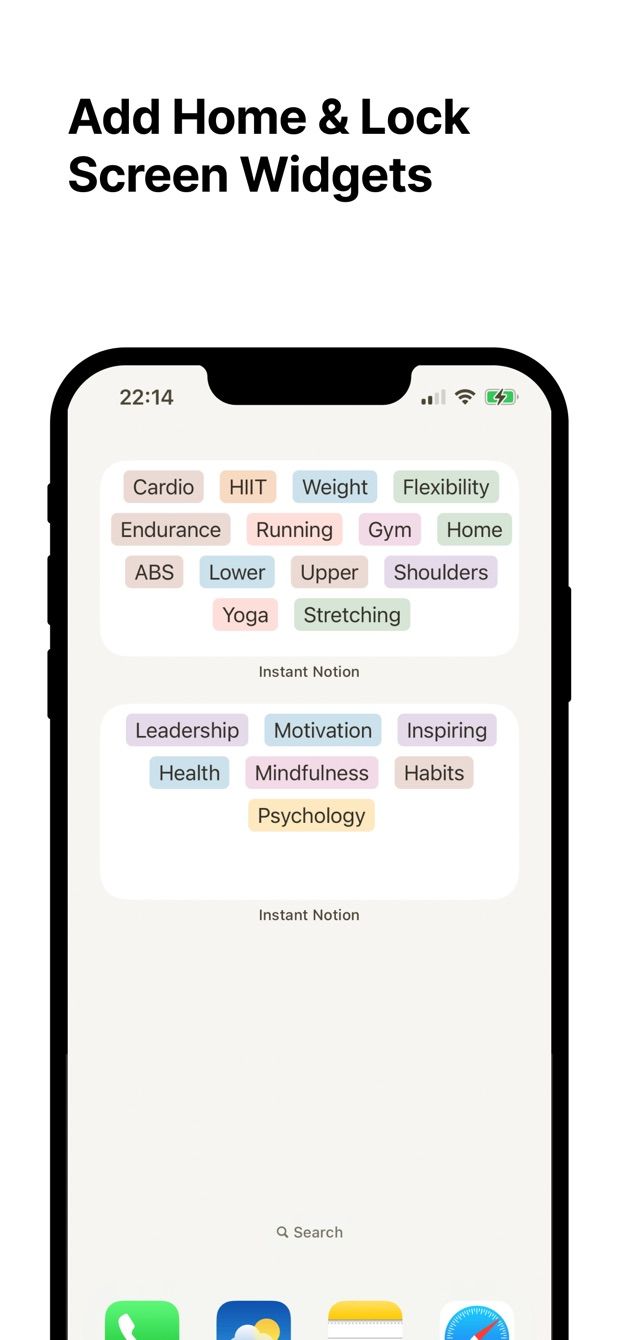
Android phones are good at widgets. You can put a calendar, a to-do list or a single button on any home screen page and it is there every time you pick up the phone. The Notion app’s own widgets are shortcuts into pages. If what you want is a square on the home screen that turns a thought into a row in a Notion database, you need a different widget.
Instant Note for Notion is on Google Play as well as the App Store. This page is the Android set-up, written for Pixel and Samsung phones.
What do Notion’s own Android widgets do?
According to Notion’s help centre there are four: Page, Favorites, Recents and AI shortcuts. Each one opens the app. Tap, wait for the launch, wait for the page, and you are on a page. None of them creates a database row. None of them lets you type.
They also have a reputation. A 2026 review of the Notion app says its widgets “just keep loading endlessly”. A widget that opens a slow app is still a slow app with a shortcut.
What does the Instant Note widget do?
It is a button. Tap it and the app opens directly into the text field, keyboard up. Type the note, pick tags from your database’s select or multi-select property, save. The row lands in Notion. If the phone is offline, the note waits and sends itself later.
On the Pro plan the home screen widget shows your tags, so a note can start with the tag already chosen. On the free plan the widget is the plain button, which is enough for one inbox database.
How to do it today
- Install Instant Note for Notion from Google Play. Sign in with Notion and choose the database that receives notes. Share that database with the app when Notion asks.
- Press and hold an empty spot on the home screen. Tap Widgets.
- Scroll to Instant Note, or search for it. Press and hold the widget and drop it on the page you want. On Samsung phones the list looks slightly different, but it is the same long-press, Widgets, search.
- Tap the widget. The text field has focus. Write, tap a tag, save.
- Put the widget on the page you land on after the phone opens, so it is one tap away and not one swipe and one tap.
Two taps and the typing. That is the whole path from pocket to Notion row.
Missing something?
If your workflow needs something the app does not do yet, write to me at [email protected]. I read every message, and requests like yours decide what gets built next.
Get Instant Note
Instant Note for Notion is free on iOS and Android. Pro adds widgets with your tags, multiple databases and the saved-notes list.