The subway between two stations. Seat 23F with the doors closed. The supermarket in the basement. A thought shows up, you open Notion, and you get a spinner. Then the thought is replaced by the next one and the spinner is still there.
Notion can work offline on a phone, within limits. This page is about those limits and about a different way to write notes when there is no signal.
Does Notion work offline on mobile?
Partly. Since August 2025 you can mark pages “Available offline” in the Notion app, and paid plans download your recent and favourited pages on their own. You can read those pages, edit them and create new pages. Changes sync when you are back online.
The limits, from Notion’s help centre: a database downloads only the first 50 rows of its first view. Subpages are not downloaded with the parent page. Forms, buttons, embeds and AI blocks need a connection. And pages you did not mark are not there at all.
In practice the complaint in 2026 reviews is not the rules, it is the loading screen. One reviewer in a shop with no signal wrote that they reached for Notion three times and nothing loaded. Offline mode works for pages you prepared in advance. It does not make the app open fast, and it does not make capture reliable.
How is an offline queue different?
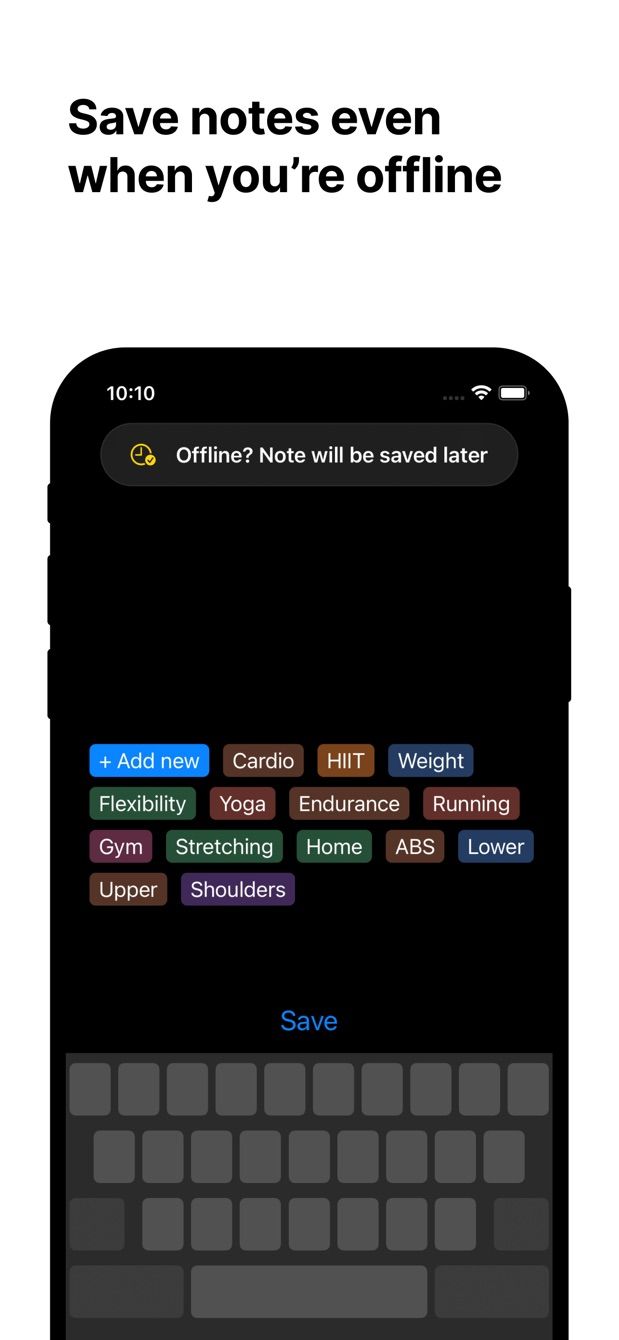
Instant Note for Notion takes the opposite approach. It does not try to download your workspace. It writes notes. When there is no connection, it keeps them on the phone and sends them when the connection comes back. Nothing to mark in advance, nothing to prepare.
The note is saved the moment you tap save. Whether it reaches Notion now, or forty minutes later when the plane lands, is the app’s problem, not yours.
How to do it today
- Install Instant Note for Notion, sign in with Notion and pick the database that receives notes. Do this once, while online.
- Put the widget on the Lock Screen or Home Screen (iPhone) or the home screen (Android), so the app opens into the text field.
- Go underground. Tap the widget, write the note, pick tags, save. The tags are already on the phone because they were loaded the last time you were online.
- Keep writing. Each note is queued on its own.
- When the phone finds a network, the queue goes out. Open Notion and the rows are there, with tags, in the database you chose.
Images work the same way. Attach a photo to a note and it waits with the note.
Missing something?
If your workflow needs something the app does not do yet, write to me at [email protected]. I read every message, and requests like yours decide what gets built next.
Get Instant Note
Instant Note for Notion is free on iOS and Android. Pro adds widgets with your tags, multiple databases and the saved-notes list.