Notion expense tracker you can fill from your phone
Set up an expense database in Notion and log the amount, category and a receipt photo from your phone in a few taps with Fast Actions for Notion.
Read →Set up an action once: which database, which fields, which defaults. Then log an expense, a workout or a book from your phone in three taps, receipt photo included. Works offline.


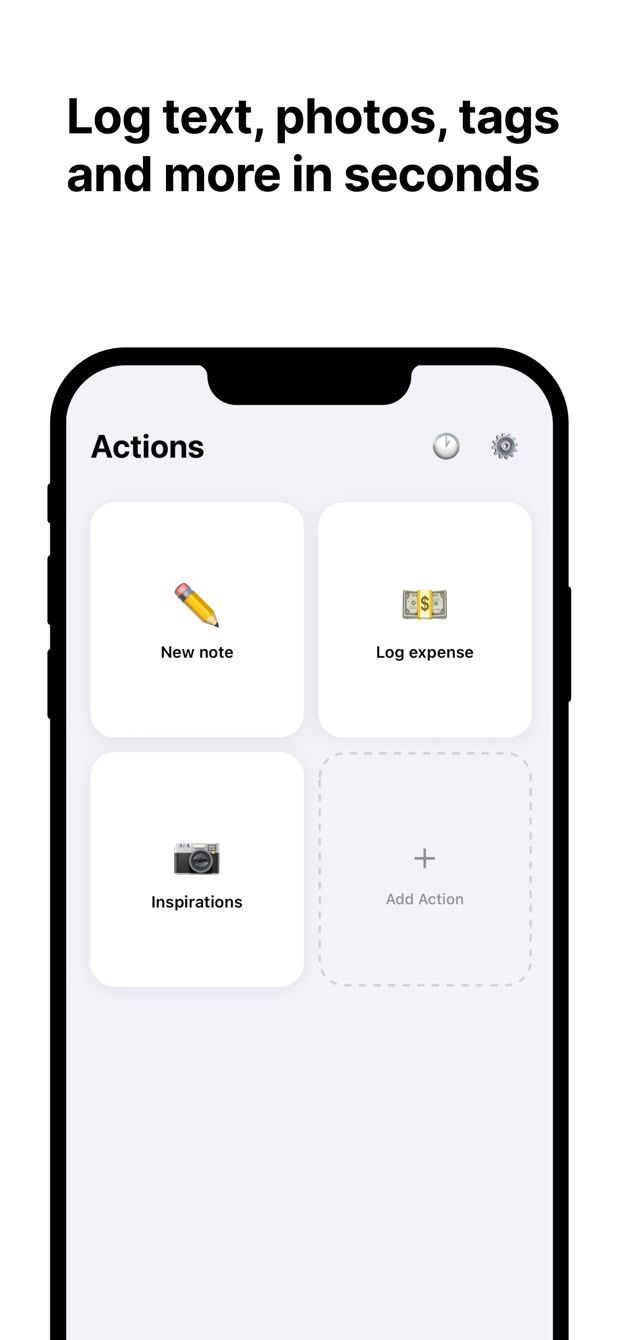
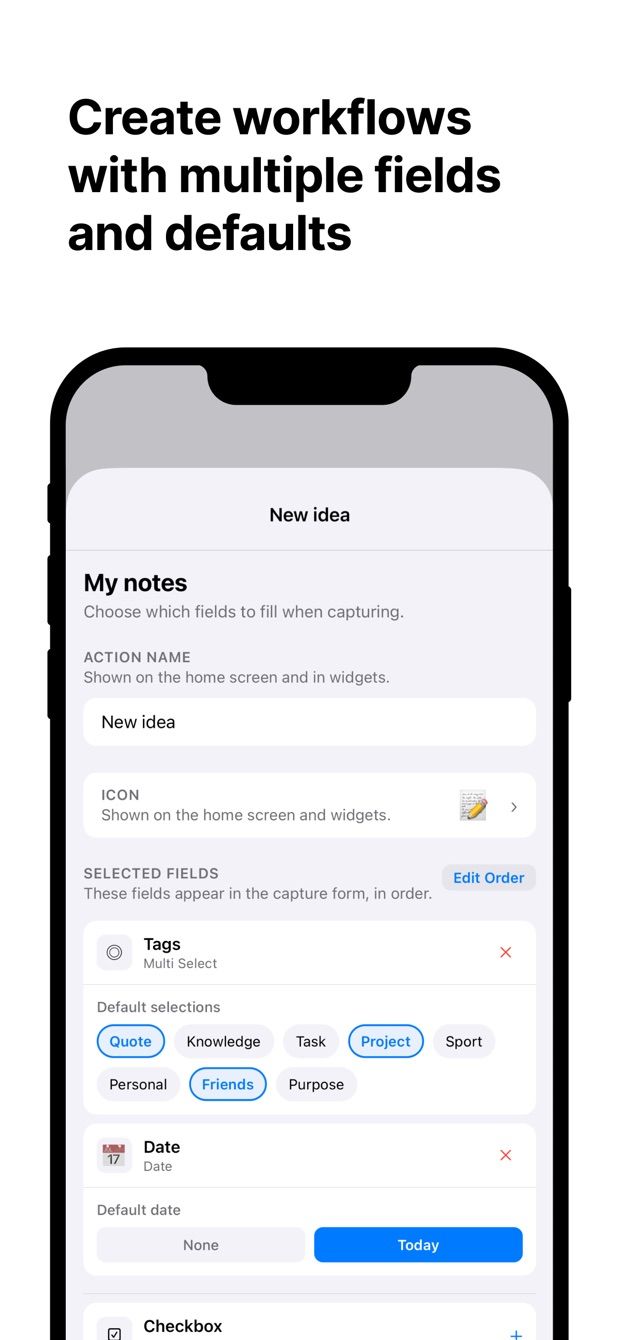
Pick the properties you want in the form: text, number, date, select, multi-select, status, checkbox, URL, relation, files. Leave the rest out.
Open the camera, shoot, save. The photo lands in a Files property of the new row. Large photos are downscaled so the upload does not fail.
No signal at the till or on the train. Entries wait on the phone and upload when you are back online, each with its own status.
Today's date, your usual category, a ticked checkbox. Set them once and most entries become one tap and a photo.
A quick expense action and a detailed one can write to the same table with different fields.
Connects through Notion's own authorisation. Entries go straight to the Notion API; no server of ours keeps your data.
An app that logs entries into your Notion databases from a small form you set up once. Each action maps to one database and the fields you choose. Tap the action, fill it in, save, and a new row appears in Notion.
Title, text, number, select, multi-select, status, date, checkbox, URL, email, phone, files (photos and other files) and relation. Formulas and rollups are computed by Notion, so they are read-only.
Yes. Entries are stored on the phone when there is no connection and uploaded automatically later. The queue screen shows the status of every entry.
Yes. For example a quick expense action with amount and category, and a detailed one with notes and a receipt photo. Both write to the same table.
One capture per day, with every feature. Pro removes the daily limit.
In your Notion workspace. The app talks to the Notion API directly after you sign in with Notion's official authorisation. Deleting the app only removes local settings and queued entries, never anything in Notion.
Expense tracking with a receipt photo, a daily journal with mood and tags, a workout log, book notes with a rating, meeting action items with a date.
Same developer, different job. Instant Note is for one quick text note with tags. Fast Actions is for structured entries with several fields and photos.
Set up an expense database in Notion and log the amount, category and a receipt photo from your phone in a few taps with Fast Actions for Notion.
Read →Track habits in a Notion database and check them off from your phone with a Fast Actions form. What works today, what is missing, what we are considering.
Read →A simple daily journal database in Notion with mood, tags and a note, plus a Fast Actions form that makes the evening entry a two-minute job on your phone.
Read →Capture decisions and action items into Notion in the minute after a meeting ends, from your phone. A one-line note with tags, or a short structured form.
Read →Get a photo from your iPhone camera straight into a Files property of a Notion database: receipts, whiteboards, labels, shelves. Setup, steps, one limit.
Read →A reading log in Notion with title, author, status, rating and takeaways, logged from your phone the moment you finish the book, using Fast Actions.
Read →Log exercise, weight, sets and reps into a Notion database from your phone between sets. The database setup, Fast Actions defaults, and one honest limit.
Read →