A habit tracker lives or dies on the check-off. If ticking “walked today” takes a loading screen, a scroll to the right row and a tap on the right cell, you stop ticking by Thursday. Notion has thousands of habit templates and almost none of them survive contact with the phone.
What follows is the setup I use with Fast Actions for Notion. It is honest about where it is thin, because a habit tracker is one of the places where the gap between “possible” and “comfortable” still shows.
What the Notion database looks like
A full-page database called Habits, one row per day.
| Property | Type | Notes |
|---|---|---|
| Day | Title | “Mon 28 Oct”, or leave it empty |
| Date | Date | The day the row is about |
| Walk | Checkbox | One checkbox per habit |
| Read | Checkbox | |
| No sugar | Checkbox | |
| In bed by 11 | Checkbox | |
| Note | Text | Optional |
Four or five checkboxes is a sane number. Add a formula property called Done with toNumber(prop("Walk")) + toNumber(prop("Read")) + toNumber(prop("No sugar")) + toNumber(prop("In bed by 11")), and the table’s Sum calculation on that column gives you a count per week. Streaks need a bit more formula work in Notion; the simplest view is a calendar by Date where a missing day is a visible gap.
The other layout is one row per check: a Habit select and a Date. It is a cleaner database and a worse fit for the phone, because four habits mean four captures a day. One row per day is the one to pick.
The action in Fast Actions
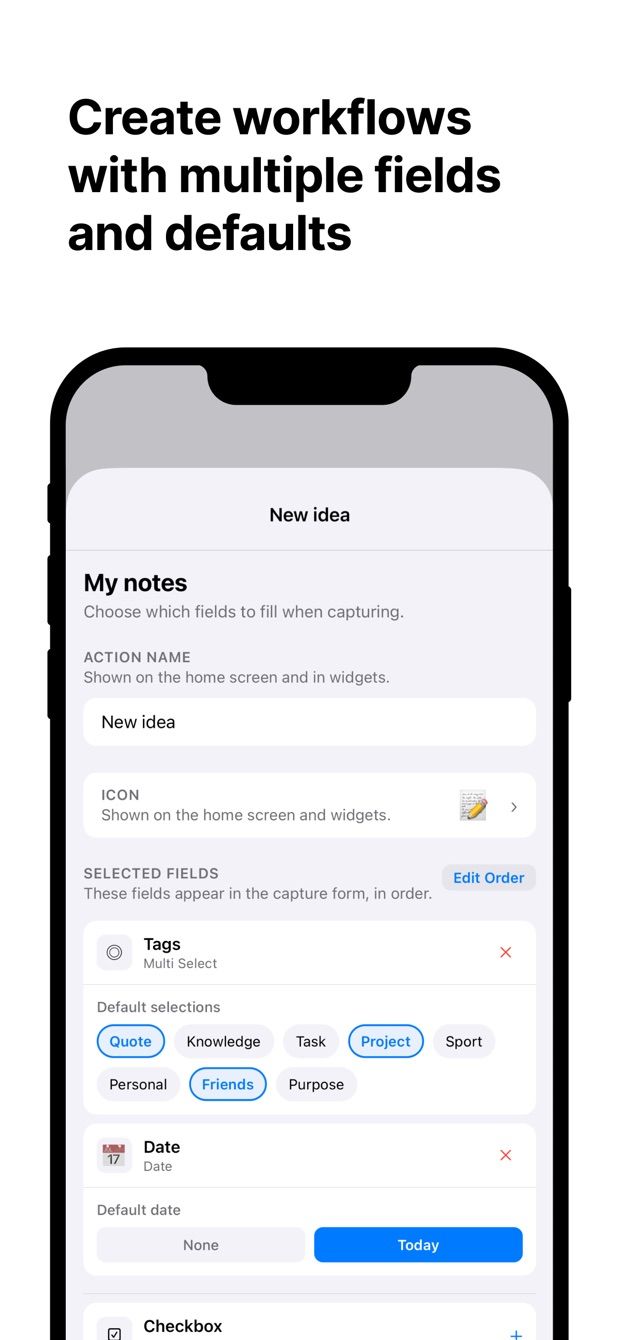
One action called Today, pointed at Habits:
- Date: default today.
- Walk, Read, No sugar, In bed by 11: checkboxes, unchecked by default. You tick what you did.
- Note: text, empty.
Fill it in once, in the evening, with the whole day in front of you. Four taps and save.
If one habit is the thing you are actually working on, make a second action with only that checkbox, defaulting to checked. Then logging it is open, save.
How to do it today
- In Notion, create the Habits database with one checkbox per habit. Add the Done formula and a calendar view by Date.
- Install Fast Actions for Notion, sign in with your Notion account and give the app access to Habits.
- Create the Today action with Date and the checkboxes. Leave Date on today.
- This evening: open Fast Actions, tap Today, tick the boxes, save.
- In a week, open the calendar view in Notion and look at the gaps. That is the whole method.
No signal in the evening? The row waits on the phone and goes up when you are online again.
Missing something?
If your workflow needs something the app does not do yet, write to me at [email protected]. I read every message, and requests like yours decide what gets built next.
Get Fast Actions
Fast Actions for Notion is free for one capture a day on iOS and Android. Pro removes the limit.