Most second brains in Notion look good on the laptop. Areas, projects, resources, linked databases, a dashboard. Then the idea arrives on the platform at 8:12, the Notion app is still loading, and the train comes.
The phrase “second brain” got popular through productivity books and courses over the last decade. This page does not follow any one method. It is about the step every version depends on: getting a thought out of your head and into Notion while you still have it.
What does a second brain in Notion actually need?
Three parts, and only one of them is about structure.
- One inbox database. Every new note lands here first. Properties: the title, a multi-select called Tags, Created time (Notion fills it in), and a checkbox called Sorted.
- A few tags for areas. Work, Home, Health, Writing, Money. Five or six, not twenty. A tag is a hint for later, not a filing decision.
- A weekly sort. Once a week you go through the unsorted rows and move each one to where it belongs.
Everything else, the project pages, the topic notes, the archive, can be as elaborate as you like. It only works if the inbox gets filled.
Why is capture the weak point?
Ideas do not show up at the desk. They show up in the shower, at the checkout, in the middle of a podcast, halfway through an article on the bus. On the phone, getting them into Notion means opening the app, waiting for the workspace, finding the inbox, tapping New and then typing.
Each of those steps is a small chance to decide “not worth it”. A few of those a day and the second brain has gaps. A notebook with gaps is one you stop trusting, and then you stop opening it.
I built Instant Note for Notion because of exactly that gap. It opens straight into a text field, with nothing else to load first.
Should a second brain have one inbox?
For capture, yes. If there are three possible places for a note, you have to choose at the worst possible moment. One inbox removes the choice. Type, maybe tap a tag, save.
The inbox is not the second brain. It is the front door. The thinking happens later, when you sort.
Three ways in from the phone
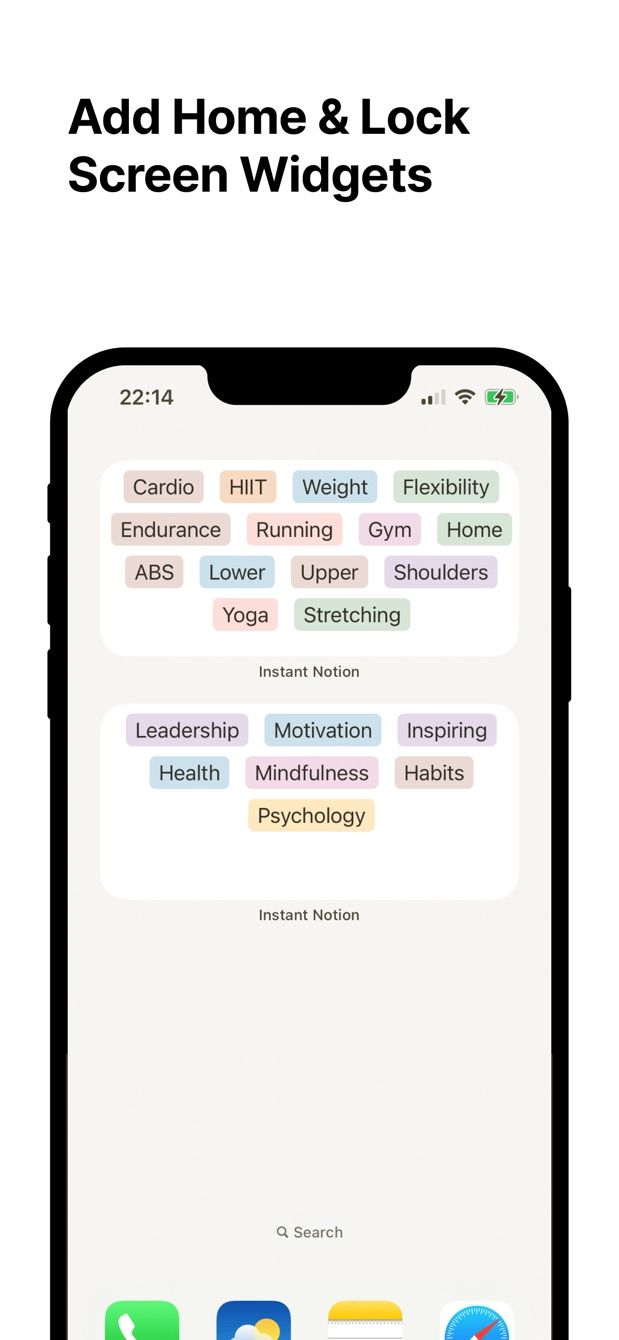
The widget. On iPhone, a Lock Screen widget or a Home Screen widget. On Android, a home screen widget or a Quick Settings tile. Tap, type, tag, save. With Pro, the Home Screen widgets show your tags, so a note can start with the area already picked.
The Share Sheet. Reading an article and one paragraph matters. Select it, tap Share, choose Instant Note, add a line on why you kept it, save. Links work the same way, from the browser or any app that shares a URL. Both land as a row in the inbox. More on this in saving links with the Share Sheet.
Offline. On a plane or in the underground, the note is kept on the phone and sent when the connection is back. You do not need to prepare anything.
What happens at the weekly sort?
Open the inbox in Notion on the laptop. Filter it to rows where Sorted is unchecked. For each row: move it into a project page, add it to a topic note, link it with a relation, or delete it. Then tick Sorted.
Instant Note does not edit existing pages, and that is deliberate. Capture happens on the phone. Organising happens in Notion, where you have the space to see how notes connect. If you already run a GTD inbox in Notion, this is the same rhythm, just with ideas and references instead of tasks.
How to do it today
- In Notion, create a database called Inbox with a title, a multi-select called Tags, Created time and a Sorted checkbox. Add your five or six area tags as options.
- Install Instant Note for Notion on your phone and sign in with Notion. When Notion asks which pages the app may use, include Inbox. Pick it as the destination.
- Add the widget. iPhone: long-press the Lock Screen, tap Customize, add Instant Note. Android: touch and hold the home screen, tap Widgets, find Instant Note.
- On iPhone, open the Share Sheet once in Safari, tap More and move Instant Note to the front so it is always visible.
- For one week, put everything into the inbox. Ideas, quotes, links, half-sentences. Do not sort on the phone.
- On the weekend, sort the inbox in Notion. See what the week left behind.
Missing something?
If your workflow needs something the app does not do yet, write to me at [email protected]. I read every message, and requests like yours decide what gets built next.
Get Instant Note
Instant Note for Notion is free on iOS and Android. Pro adds widgets with your tags, multiple databases and the saved-notes list.