You tap the Notion icon and the loading screen lasts a little longer than your patience. On the laptop the same workspace feels fine. On the phone, at the bus stop, it does not.
Notion is a very good place to keep your work. The phone app has to load a lot of that work before you can type, and that is where the waiting comes from. Here is what usually causes it, what helps, and what to do when the thing you are waiting for is only a note.
Why is Notion slow on my phone?
The mobile app is a full editor for a full workspace. A few things make it slower:
- Large databases and linked views. A page with three linked databases, each showing hundreds of rows, has a lot to fetch before it settles.
- Embeds and heavy blocks. Videos, maps, synced blocks and AI blocks each load on their own.
- The first open of a page. Pages you opened recently come up faster than ones the phone has never seen.
- Weak signal. A train, a lift, a basement. Most pages need the network, and a slow connection feels like a slow app.
- An old app version or a full phone. Both add time you do not see on the laptop.
None of this means something is broken. It is the cost of carrying a whole workspace in your pocket.
Is Notion working on it?
Yes. The iOS app gets an update almost every week, usually listed as bug fixes and performance improvements. It was written in November 2026.
What helps inside Notion today
- Update the app. Many speed fixes arrive quietly in those weekly builds.
- Give the phone lighter pages. Make one simple page for mobile use, a short list of links to what you actually open on the go, and add it to Favorites.
- Trim the views you open on the go. A database view filtered to this week loads less than an unfiltered one with every row. One linked database per page is easier on the phone than four.
- Mark pages Available offline. Open the page, tap the ••• menu and turn it on. Those pages are kept on the phone and open without a connection. Databases bring only the first 50 rows of their first view, and subpages are not included, so choose the few pages you really use. The details are in Notion offline notes.
- On Android, clear the cache. Settings, Apps, Notion, Storage, Clear cache. Pick Clear cache, not Clear storage. Your pages are not deleted; they live in your workspace.
When what you wait for is adding a note
Most times I take out the phone for Notion, I do not want my workspace. I want to write one line before I forget it. Loading every page and sidebar for that is the wrong job, and no setting changes it.
So I keep capture in a separate app. Instant Note for Notion does not load your pages. It opens on a text field. You type, pick tags from your database’s select property, and save. The note becomes a row in the Notion database you picked. With no signal, it waits on the phone and goes out when the connection is back. You sort it later, in Notion, at a moment when waiting for a page does not matter.
It is not an editor, and it does not change existing pages. For reading and editing, the Notion app stays the place. The quick add guide goes deeper on the capture side.
How to do it today
- Update Notion from the App Store or Google Play.
- In Notion, open the two or three pages you need away from Wi-Fi, tap ••• and turn on Available offline.
- On Android, if the app has become sluggish over months: Settings, Apps, Notion, Storage, Clear cache. The exact names vary a little between phone makers.
- For notes, install Instant Note for Notion. Sign in with Notion and pick an inbox database.
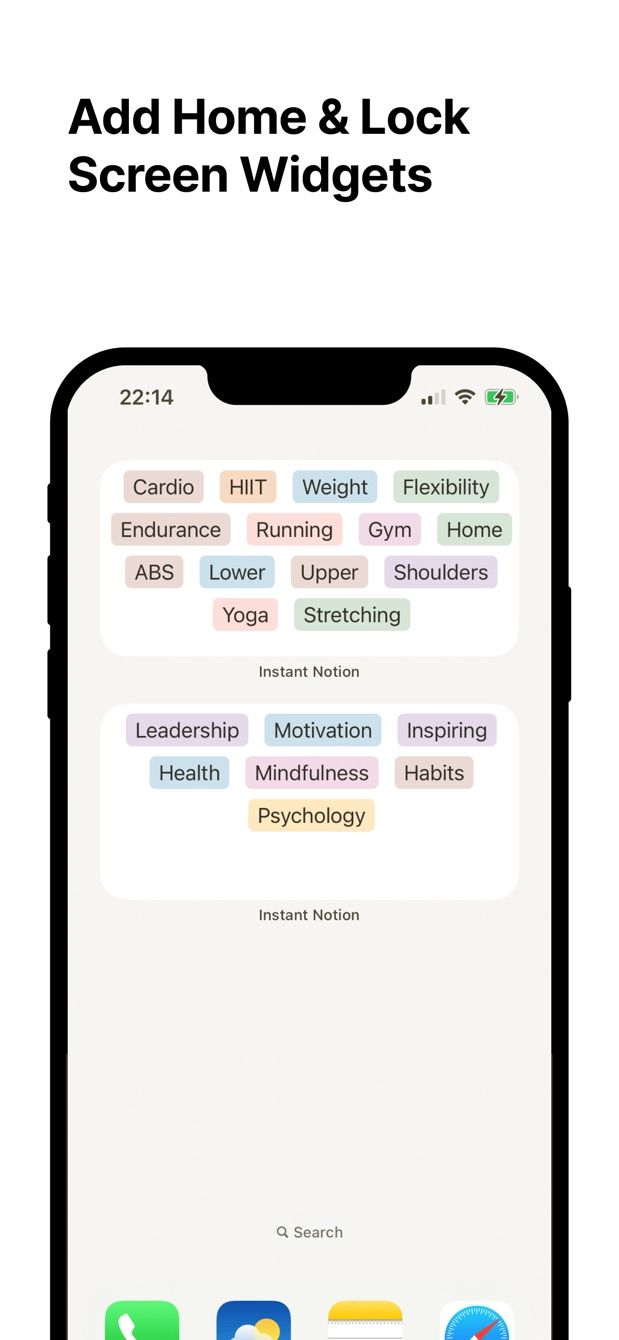
- Put its widget on the Lock Screen (iPhone, iOS 16 and later) or the home screen (Android). The Android widget guide has the steps. Next idea: tap the widget, type, save.
Missing something?
If your workflow needs something the app does not do yet, write to me at [email protected]. I read every message, and requests like yours decide what gets built next.
Get Instant Note
Instant Note for Notion is free on iOS and Android. Pro adds widgets with your tags, multiple databases and the saved-notes list.