The idea arrives on the platform, thirty seconds before the train. You take out the phone, open Notion, and watch the loading screen. The train comes. The idea is gone, or it is in the Notes app, which is the same thing a month later.
This article used to be a feature list. I rewrote it because the question people type is simpler than that: what is the fastest way to get a note into Notion from a phone, today, in 2026. Here is the honest answer, including what the official app can do.
What the Notion app itself offers
Notion on the phone is a full editor, and a full editor is slow to open. The cold start and the loading screens are the most common complaint in reviews, and they are the reason a quick note feels like work.
A few things do exist:
- The Share Sheet clipper. From Safari, Share, Notion, pick a page or database. Good for links.
- Siri. In 2026 Siri can open Notion AI. It cannot add a row to a database or append a line to a page.
- Offline mode. It exists, but it is limited, and reviewers still complain about loading.
- Widgets. There is no Lock Screen widget for capture, nothing that opens into a text field.
So the gap is specific: there is no way to go from pocket to typed text in a Notion database in under a few seconds. That is the gap Instant Note for Notion fills.
How Instant Note makes it fast
Instant Note is not an editor. It opens straight into a text field. You type, pick a tag or two, and save. The note becomes a page (a row) in the Notion database you chose. That is the whole app.
The pieces that make it quick:
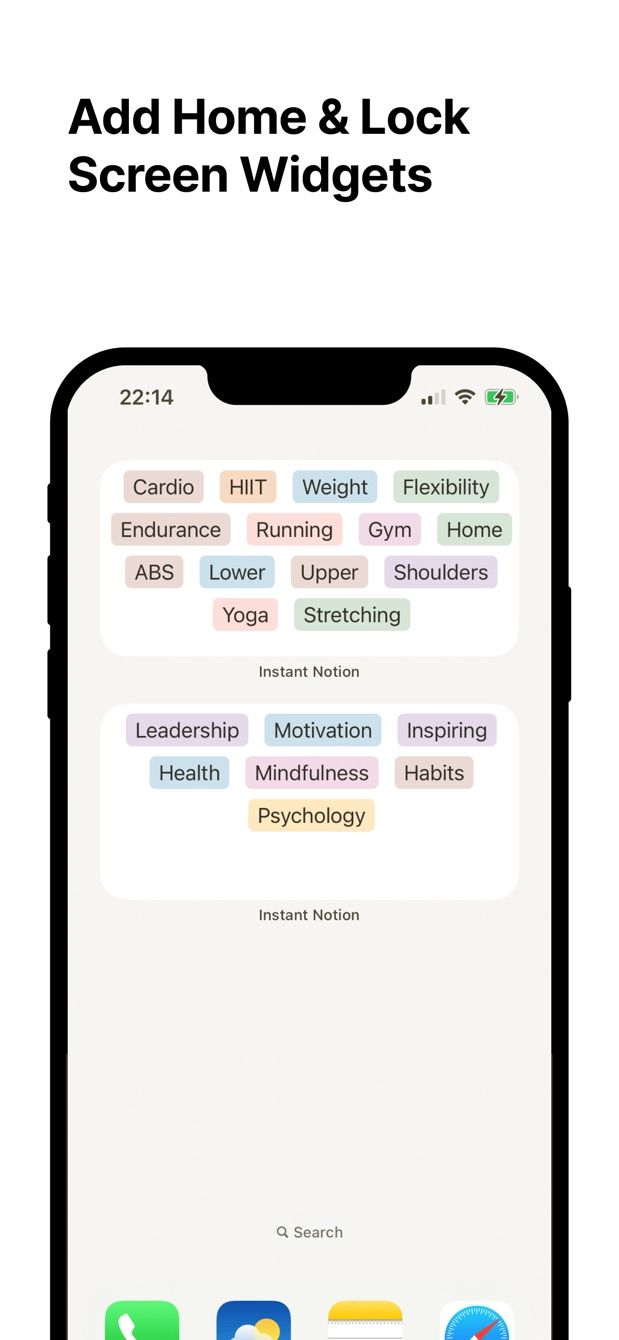
- Lock Screen widget on iOS 16 and later, and Home Screen widgets on iPhone and Android. One tap from the Lock Screen to the text field.
- Tags are the select and multi-select options of your Notion database. The same tags you see in Notion are the buttons you tap in the app.
- Offline. No signal on the platform? The note is saved on the phone and sent when you are back online. There is a longer explanation in writing to Notion offline.
- Text and images. A photo from the camera or the library goes into the same note.
- The official Notion sign-in (OAuth). Notes go straight to Notion; no third-party server keeps a copy.
I built it because I wanted an inbox for Notion that opened as fast as the Camera app. That is still the only thing it does.
How to do it today
- In Notion, pick or create the database your notes should land in. An “Inbox” database with a Tags multi-select is the usual choice; the inbox article covers the setup.
- Install Instant Note for Notion on your iPhone or Android phone. Sign in with your Notion account and give the app access to that database.
- On iPhone, add the Instant Note widget to the Lock Screen: press and hold the Lock Screen, Customise, tap the widget area, choose Instant Note. On Android, long-press the Home Screen, Widgets, Instant Note. Details are in the iOS widgets and Android widgets pages.
- Next time the idea arrives: tap the widget, type, tap a tag, save. Lock the phone.
- Later, at the desk, open the database in Notion. The note is a row with its tags set. Sort it, link it, or delete it.
Missing something?
If your workflow needs something the app does not do yet, write to me at [email protected]. I read every message, and requests like yours decide what gets built next.
Get Instant Note
Instant Note for Notion is free on iOS and Android. Pro adds widgets with your tags, multiple databases and the saved-notes list.