One phone is an iPhone, the other is a Pixel. The shopping list lives in Apple Notes, and half the household cannot open it. Or it is the same person: an iPhone from work, an Android phone of your own, and notes stuck on whichever one you happened to be holding.
The fix is a place both phones can reach. For Notion users that place already exists.
Why is sharing notes between iPhone and Android so awkward?
Most phones come with a notes app that only talks to its own family. Apple Notes runs on iPhone, iPad and Mac. On Android the only way in is iCloud.com in a browser. Samsung Notes is at home on Galaxy phones. Each one works well until someone in the group has the other kind of phone.
To be fair: if you do not use Notion at all, Google Keep has apps for both platforms and lets you share a note with another Google account. For a shared grocery list, that is enough.
If Notion is already where your projects, lists and plans live, a second notes app means a second place to search. Better to keep the shared notes in Notion too.
Why does a Notion database work on both?
The Notion app runs on iPhone, Android, the desktop and the web. A database is a table where every row is a page. Treat each row as a note and you have a notes list that looks the same on every device.
Anyone who can edit the database sees the same rows. You can add views on top: everything from this week, everything tagged Shopping, or one view per person. That is something no phone notes app gives you across both platforms.
Where does Instant Note fit in?
Reading notes in the Notion app is fine. Writing a quick one is slower: open the app, wait for the workspace, find the database, tap New, then type. At the checkout or on the platform, that is long enough to forget the thing.
Instant Note for Notion is on the App Store and on Google Play, and it does the writing part. It opens straight into a text field. You type, tap a tag from your database’s select or multi-select property, and save. The note becomes a new row in the database you picked.
What each phone gets:
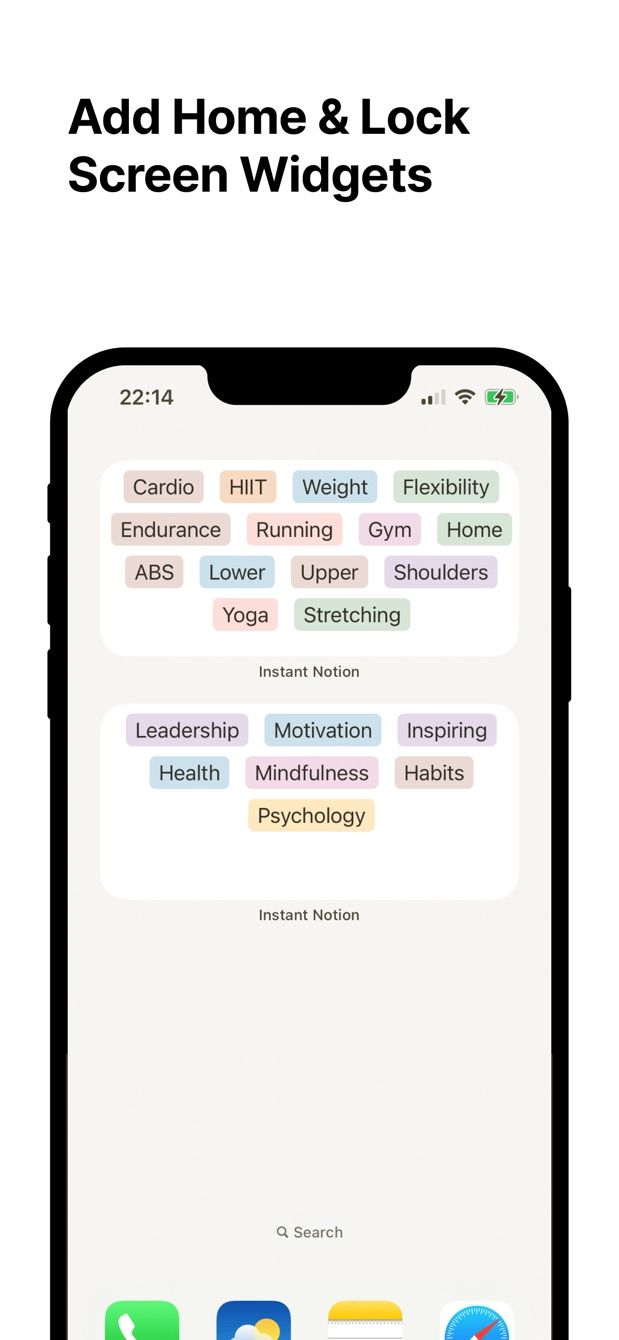
- iPhone: a Lock Screen widget and Home Screen widgets, plus Instant Note in the Share Sheet for selected text and links.
- Android: a home screen widget, a Quick Settings tile, and Instant Note in the share menu for text and links.
- Both: offline saving. A note written without signal stays on the phone and is sent when the connection is back.
Instant Note only writes. It does not show or edit the other person’s notes. For that you open the database in Notion, on either phone or on a laptop.
Can two people add to the same database?
Yes. Each person signs in to Instant Note with their own Notion account and chooses the same database. What both need is edit access to that database in Notion. The simplest way is a workspace you both belong to.
If you want to see who wrote what, add a select property called Who with an option for each person. It shows up as a tag in the app, so it takes one tap.
How to do it today
- In Notion, create a database called Shared notes. Keep it small: the title, a multi-select called Tags (Shopping, Ideas, To do) and, if you like, a select called Who.
- Make sure the other person can edit it. Put it in a workspace you both belong to.
- On the iPhone, install Instant Note from the App Store. Sign in with Notion and include Shared notes when Notion asks which pages the app may use. Pick it as the destination.
- On the Android phone, install Instant Note from Google Play. Sign in with that person’s Notion account and pick the same database.
- Add the widgets. On the iPhone, long-press the Lock Screen and tap Customize (iPhone widget guide). On Android, touch and hold an empty spot on the home screen and tap Widgets (Android widget guide).
- Write a test note on each phone. Open Shared notes in the Notion app and both rows are there.
On the free plan the app writes to one database. Switching between a shared one and a private one is part of Pro.
Missing something?
If your workflow needs something the app does not do yet, write to me at [email protected]. I read every message, and requests like yours decide what gets built next.
Get Instant Note
Instant Note for Notion is free on iOS and Android. Pro adds widgets with your tags, multiple databases and the saved-notes list.