Tomar buenas notas rápido: captura primero, ordena después
Un método simple para tomar notas rápido: escribe la idea en segundos, ponle una etiqueta y ordena el montón una vez por semana. Con Notion e Instant Note.
Leer →Un widget en la pantalla de bloqueo abre Instant Note directamente en el campo de texto. Etiqueta la nota, guarda, listo, sin desbloquear para entrar en la app de Notion y esperar a que cargue.


Añade el widget una vez en el editor de la pantalla de bloqueo. A partir de ahí una nota está a un toque, incluso antes de desbloquear del todo el teléfono.
Captura donde estés; la app sincroniza con Notion cuando vuelve la conexión y muestra lo que sigue pendiente.
Los widgets Pro muestran tus etiquetas. Toca una y la nota se abre ya clasificada. Puedes tener varios widgets para varias bases de datos.
I am really amazed by how lightweight yet really minimalistic,elegant and fastthis app is! This is a must-have for anyone doing Quick Capture for tasks/ideas in Notion!
App Store Review
Awesome little app thatdoes exactly what it says
App Store Review
The first app you should install if you use Notion. I use this quick capture app over 50 times every day. The best part - you can do this all from your locked screen as well!
App Store Review
I have been using fast notion, but switched to this one because it has a simpler UI, is more beautiful, has no ads, and allows me to leave notes in the database for free
App Store Review
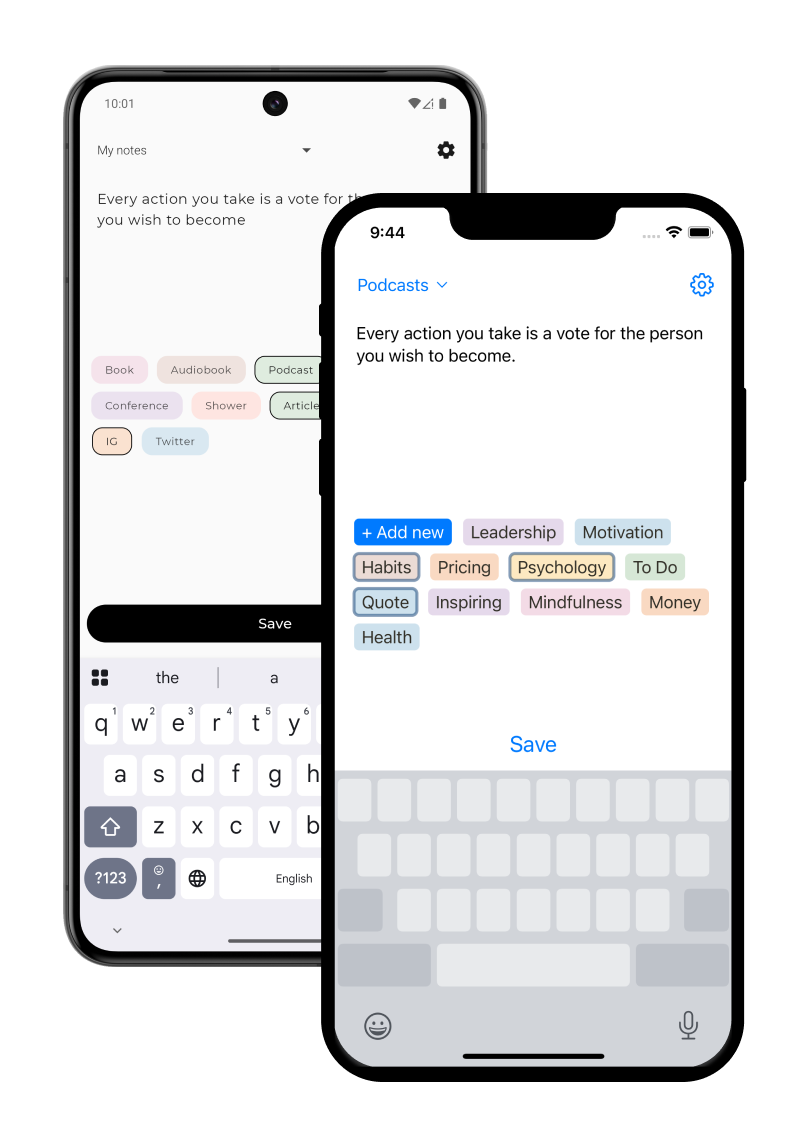
Instant Notion is an iOS app allowing you to quickly save notes to Notion. The official Notion app is not optimised for quick capture and takes time to open a specific database. With Instant Notion you can reduce the time it takes to save a note to seconds.
If you need a way of quickly saving a tagged note to Notion, you'll love Instant Notion. On top of it you'll be able to save notes offline, add your own tags from Notion and configure widgets (Lock Screen and Home Screen).
No, Instant Notion is a 3rd party app developed on top of Notion's official API.
Yes! Everyone can add a Lock Screen widget and Pro users can add Home Screen widgets.
We take your privacy extremely seriously - your notes stay on your phone and Notion, we do not access them. We use the official authorization and data access way provided by Notion.
Most of the features are free (configuring multiple databases, tagging notes, lock screen widget). A few features are available in the Pro tier: home screen widgets and the ability to create new tags without opening Notion.
Un método simple para tomar notas rápido: escribe la idea en segundos, ponle una etiqueta y ordena el montón una vez por semana. Con Notion e Instant Note.
Leer →Formas más rápidas de añadir una nota a Notion desde el teléfono: widget de pantalla de bloqueo, etiquetas, cola sin conexión y qué hace la app oficial.
Leer →Crea una base de datos Inbox en Notion, captura en ella desde el teléfono en segundos y procésala cada semana. GTD sin la fricción de la app móvil.
Leer →Captura decisiones y tareas en Notion el minuto después de que termina una reunión, desde el teléfono. Una línea con etiquetas o un formulario corto.
Leer →Qué hace y qué no el modo sin conexión de Notion en el teléfono, y cómo escribir notas en una base de datos de Notion desde un avión o el metro sin señal.
Leer →Cómo guardar una idea en Notion desde la pantalla de bloqueo del iPhone en segundos, con etiquetas, antes de que se esfume. Configuración y límites.
Leer →Guardar un enlace de Safari en Notion desde el iPhone: la extensión de Notion o la de Instant Note en la hoja para compartir, y cuándo conviene cada una.
Leer →Cómo meter una nota hablada en una base de datos de Notion desde el teléfono hoy con el dictado del teclado, qué ofrece Notion para voz y qué falta.
Leer →Un widget en la pantalla de inicio de Android que abre una nota nueva para tu base de datos de Notion en un toque. Qué hacen los oficiales y qué falta.
Leer →Qué widgets tiene Notion en iOS, por qué ninguno captura una nota, y cómo añadir un widget de pantalla de bloqueo o de inicio que crea una fila en Notion.
Leer →Lo que Siri puede y no puede hacer con Notion en 2026, el atajo que crea una página de Notion por voz, y la captura con Siri que estamos considerando.
Leer →